
Help Menu
On the menu bar, click the "Help" button, then you can see the functions of Help, Installation folder, Remote tech support, Enter license key, Purchase and About (Figure 1-1).
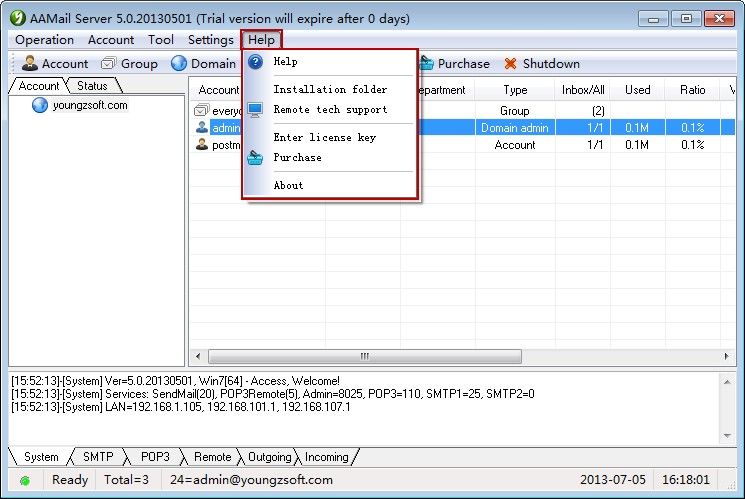
Figure 1-1
Help: Open AAMail FAQs website and you can find many solutions for troubles here.
Installation folder: Open AAMail installation folder.
Remote tech support: Run the TeamViewer remote tool, send the ID and Password to Youngzsoft, then you can get the remote support.
Enter license key: Click to pop up "Registration" dialog box, type the license key to register.
Purchase: Click to open the purchase website of http://www.aamailsoft.com/purchase.htm. And you can contact Youngzsoft to purchase or upgrade AAMail server software.
About: Display AAMail server software version and copyright information.
Related: